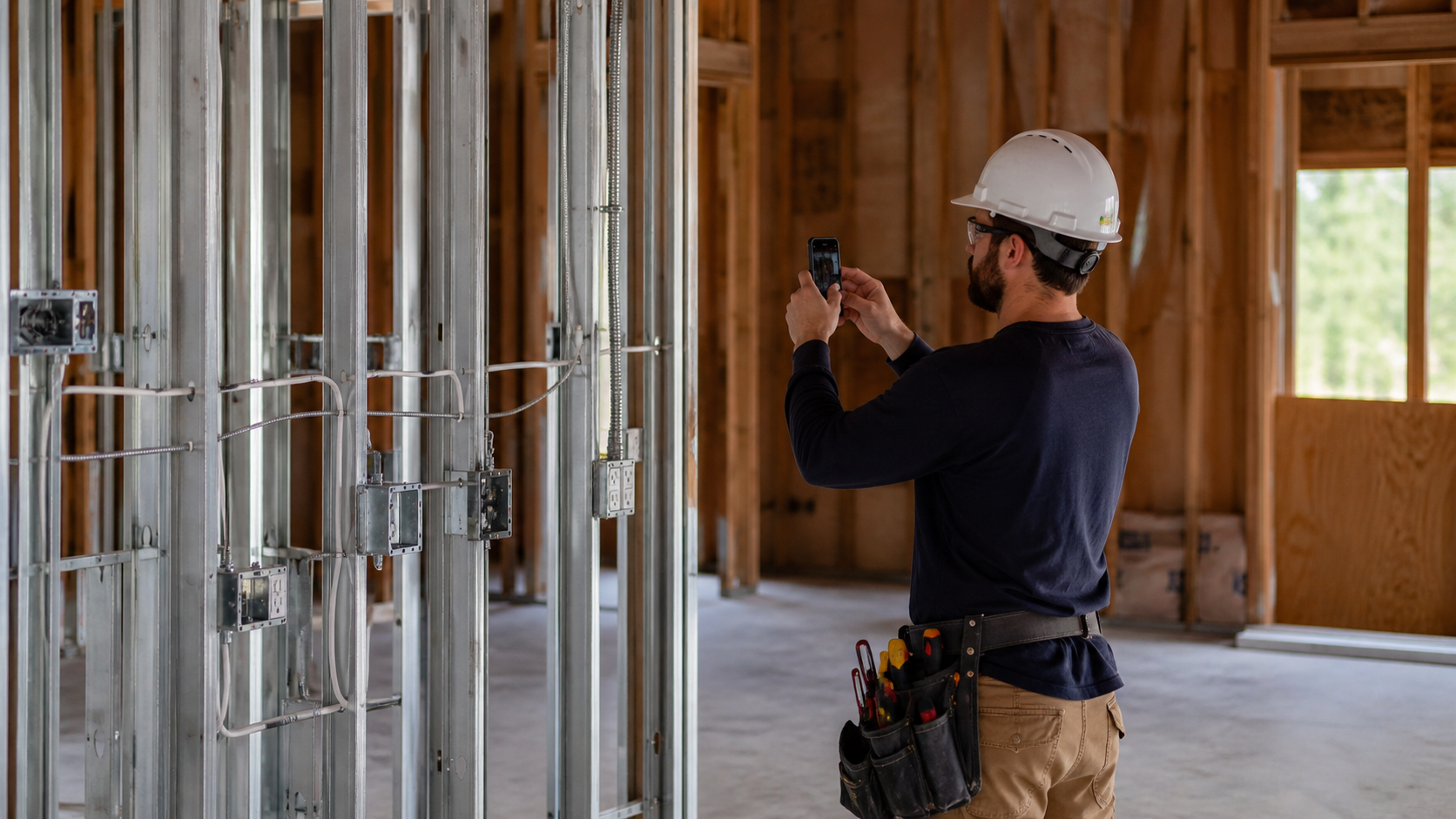
Your customer is holding a T&M invoice. Line 4 says 11.5 hours. He wasn't on site that day, he can't picture what happened above that ceiling, and he isn't going to approve a charge he can't reconstruct. So it sits, and he asks for backup.
Job site photo documentation for an electrical contractor exists to answer that exact question — and the mechanism is narrower than most shot lists let on. A photo proves a condition existed at a point in time. A timesheet proves hours. Nothing connects the two unless the same photo ID appears on the labor line.
Test that on a file you already have. Open any job photo on your phone next to the labor line it supposedly backs. If there is no shared identifier between them, the customer has no route from the number to the picture — and a folder of 200 untagged phone pictures loses the same argument that "11.5 hrs" loses, for the same reason.
The charge was fair. The explanation was missing.
What follows is the whole method: the shot list by phase, the caption format, how a photo attaches to the labor line it backs, and how to run all of it with the phone already in the truck. Nothing here requires buying anything.
Two Different Disputes, and Only One Ends Up in Front of a Lawyer
There is the rare dispute — a delay claim, a defect suit, an insurance denial. Arcadis, in its 15th annual Global Construction Disputes Report (2025), put the average time to resolve a North American construction dispute at 12.5 months — the shortest North American average in a decade, and still more than a year. Those are the ones photo-documentation articles are written for.
Then there is the one that happens every month: a customer who won't approve a line item, and a check that doesn't move.
Both are documentation problems, but they need different documents. The legal file wants site conditions, dates, and chain of custody. The invoice conversation wants a sentence a non-electrician can read.
The two files are not the same file, and the second does not fall out of the first. Take any timestamped photo of finished conduit off your own phone and try to answer "why were three men on this for two days" with it. It can't be done — the picture carries no hours, no crew count, and no scope.
Example arithmetic, not a claim about your shop: one disputed T&M line a month — 6 hours at a $95 bill rate — written off to keep the customer works out to $570 a month, or $6,840 a year. Swap in your own hours and rate and the number moves. If you want to run yours against slow-paid and discounted invoices too, there's a free invoice-dispute calculator for it.The point isn't the number. It's that the write-off is usually cheaper than the argument, which is exactly why the argument keeps happening.
The Electrical Shot List, Phase by Phase
Shoot the things that get covered, the things that were already broken when you got there, and the things you'll be asked to prove. Everything else is optional.
| Phase | Shoot this | Must be legible in the frame | Rough minimum |
|---|
Put something known in the frame for scale — a tape, a 4-square box, a standard device plate. A wall cavity with no reference could be anywhere in the building.
And get one wide shot before every close-up. The close-up proves the work; the wide shot proves where it is.
The Three Shots That Only Matter on T&M
On a lump-sum job, photos protect you against a defect claim. On T&M, they justify a number. Three specific frames do that work.
Before you open it. The wall, ceiling, or slab as found. This is the only proof that the condition you're about to bill for was not something you created. What you found. The aluminum branch circuit, the shared neutral, the ungrounded run, the junction box buried behind rock, the panel with zero open spaces. This is the reason for the hours. What it took. The condition mid-repair, with enough context to show the scope — the length of the run, the number of terminations, the access you had to build to get there.Those three, plus one sentence each, answer the question a customer actually asks. Not "did you do it," but "why did that take that long."
The Caption Rule: A Photo Without a Sentence Is a Picture of a Wall
A caption is the difference between evidence and a JPEG. The format that works is the same one that works on a timesheet, because it is the same record.
Format:[Day, date] [start–end] — [what got done], [where], [how many men]. [man-hours]
Filled in: Thu 8/06, 7:02a–3:48p — pulled and terminated circuits 12–18 at panel LP-2, second-floor east wing, 2 men. 17.5 man-hrs.
Ten seconds of voice-to-text. Here's what the customer sees at each level of effort.
| What gets written | What the customer can reconstruct |
|---|
Nothing. File is IMG_4471.jpg | Nothing. A picture of a wall |
| "panel" | That you own a camera |
| "LP-2 done 8/6" | That something finished. Not what, not how long |
| "Thu 8/06, 7:02a–3:48p — pulled and terminated circuits 12–18 at panel LP-2, second-floor east wing, 2 men. 17.5 man-hrs. Shot before drywall." | The date, the location, the scope, the crew size, and the hours — in one line, with the picture attached |
Write it in the field, not on Friday. A caption written three days later is a guess, and it will read like one.
Two words of trade shorthand are fine — the customer will accept "homerun" and "terminated." What they won't accept is a number with no noun attached to it.
Tying the Photo to the Hours It Backs
Give every photo an ID and put that ID on the labor line. That single habit is what turns a photo library into invoice backup.
Photo ID:MMDD-Location-## → 0806-LP2-03. Use the panel designation when the work has one, and the column line when it doesn't (0807-C4-01). Short enough to write on a paper labor sheet, unique enough to find later — and keyed to the way the question actually comes back, which is by panel, not by room.
Then the customer-facing line looks like this.
| Date | Who | What was done | Hrs | Bill rate | Amount | Photo |
|---|
Rates in that table are illustrative — use your own bill rate. Note what is not in it: your cost rate, your labor cost, and your margin. Those belong on the internal job-cost report, never on the customer's copy.
The hours side of this can live anywhere the crew will actually use it — a paper labor sheet in the truck, a shared spreadsheet, or a time app that prompts for the note at clock-out (FieldTimesheet does that; several others do too). What matters is that the note, the hours, and the photo ID land in the same row on the same day.
If you want to see the finished document rather than a description of one, there's an annotated sample billing packet online — no signup, no email.
Photograph Extra Work Before You Do It, Not After
The sequence matters more than the photo. Discovered condition → photo → written description → estimated added hours → written authorization → then the work.
Run it in the other order and you have a picture of work nobody approved, which is a picture of a write-off.
The authorization does not need to be a form. A text or an email with a timestamp is a written record, and it takes ninety seconds. Copy this:
Opened the wall at column line C4 today to run the new homerun. Found the existing branch circuit is aluminum on a shared neutral with no ground. Photos 0807-C4-01 through 04 attached. Bringing it to current code adds an estimated 6 man-hours plus material. Reply "approved" and we'll proceed — otherwise we'll close it up as found and move on.
Keep a running log of these. One line per change: date, what was found, who authorized it, how, and the added hours. A free change-order log and daily field report are in the T&M backup kit if you'd rather print than build.
The reason to log them is not the argument you're having now. It's the one in month four, when six verbal approvals have blurred into "I don't remember agreeing to that."
Concealed Work: The One Shot You Cannot Retake
Everything else on this list can be re-shot. Rough-in cannot. Once the rock is up or the slab is poured, the only way back is destructive.
This is also where the code is on your side, and it says so in plain words. The NEC's administrative provisions — Article 80, published in NEC Annex H and adopted in whole or in part by many jurisdictions — carry the rule that no wiring shall be concealed until it has been inspected and approved. Jurisdictions that write their own administrative ordinance instead almost always carry the same sentence in their own wording. Look up what your AHJ actually adopted; the wording varies, the principle rarely does.
The practical consequence is what makes the photo valuable: work covered before that inspection can be ordered uncovered, at somebody's expense. Your rough-in photos are the record of what was in that wall and when it went in — which is what decides whose expense it is.
So the rough-in photo does double duty. It backs the invoice, and it backs your position if another trade covers your work before the inspector sees it.
Shoot the run, then shoot the wide. Then shoot the correction notice and the corrected condition, if there is one, because "we fixed it" and "here is the tag that says we fixed it" are not the same claim.
Making the Photo Hold Up Nine Months Later
Phone photos carry EXIF metadata — the capture timestamp, camera, and GPS coordinates if location services are on. That is what makes a photo dateable without your say-so.
How you send it decides whether that survives, and you don't have to take anyone's word for which apps keep it. Run the test yourself: send a photo to your own phone or email through whatever app you actually use, open the copy that arrives, and check whether the capture date and location are still on it. Thirty seconds, and unlike a list of app names, it stays true after the next update.
The switch that usually governs the outcome is compression, not brand. A standard "photo" send that compresses the image for speed generally drops the metadata with it. A "send as file," "document," or "original quality" send generally preserves it. Screenshots and re-saved copies lose it either way.
So the rule that survives every app update: keep the original in the phone's album or your cloud backup, and send copies. Never let the only version of a photo be one that went through a compressing app.
On retention: statutes of limitation and repose for construction claims vary widely by state — some run two years from discovery, others as long as ten years from substantial completion. Set your retention by the rough-in, not the trim-out. A trim-out photo can be recreated with a screwdriver and ten minutes; the conduit behind the rock and the pipe under the slab cannot be photographed again at any price, so those are the files whose loss is permanent. Ask your attorney or insurer for the number that applies to you rather than guessing.
Storage is the cheap part. A per-job album on the phone that syncs to cloud storage costs nothing extra and survives a lost phone, which a camera roll does not.
Filing So You Can Find It in Ninety Seconds
Findability is where most systems die. Four hundred photos in one camera roll is the same as no photos when a charge is questioned in March.
Name and file like this:
- One album per job, named
JobNumber – Customer – Address. - Photo IDs as
MMDD-Location-##, keyed to the panel designation or column line —0806-LP2-03, notkitchen-7. Same string that's on the labor sheet. - Sorted by name, that convention stacks every shot taken at LP-2 that day in one run. If your questions arrive by location more often than by date — "what did you do at LP-2?" — flip it to
LP2-0806-03so a panel's whole history groups together regardless of when you shot it. Pick one and don't mix them. - A one-page photo log per job: ID, date, panel or gridline, what it shows, and the labor line it backs.
- A weekly dump from every phone into the job album. Friday, ten minutes, foreman's job.
The Service-Call Version: Two Guys, Five Calls
A two-man truck running five calls a day cannot execute a commercial protocol, and shouldn't try. The reduced standard is three photos and one sentence.
Three photos: the problem as found, the repair in place, and the panel or equipment label that identifies what you worked on. One sentence: the same caption format, shortened.Tue 8/11, 10:15a–12:40p — replaced failed 60A breaker and burned lugs in panel B, unit 214, 1 man. 2.4 hrs.
That's about forty seconds per call. It is enough to answer a property manager who questions that 2.4-hour line four weeks later, which is the entire job.
Skip the rest. A shot list you can't run every day is a shot list nobody runs at all.
Getting the Crew to Take Them
This is the actual blocker, and it is the same blocker as timesheets. It is not solved by a mandate or a new app.
Say what the record is for, out loud, in these terms: the photo and the note are how the company gets paid for work the crew already performed. When a customer disputes an invoice and there's nothing to show, the write-off comes out of the job — the job that was supposed to fund the next raise, the next truck, the next hire.
That framing is true, and it puts the field on the same side of the table as the office. "Prove you were working" does not, and it earns exactly the cooperation it deserves.
Then make it small. Five triggers, printed and taped inside the van door:
- Before you cover anything.
- Before you open a wall, ceiling, or slab.
- When you find something that wasn't in the scope — stop and shoot before you touch it.
- When the inspector signs, or writes a correction.
- When you leave an area for the last time.
Ask for five photos a day, not forty. A crew that reliably shoots five triggers is worth more than a crew that shot ninety pictures once and quit.
And have one person close the day: photos in the album, captions attached, hours on the sheet. Three minutes at the truck beats an hour of reconstruction on Friday.
What the Customer Actually Receives
Not the album. Nobody reads an album.
They get a one-page labor backup that lists, per day: the date, who was on site, what got done in plain language, the hours, the bill rate, and the amount — with the photo IDs in the last column and the referenced photos attached behind it.
GPS, if you have it, belongs there as corroboration only: "on site, verified." It confirms the crew was where the note says they were. It is not a movement trail, and presenting it as one will cost you more trust than it buys.
Send it with the invoice, not after the customer asks. Backup that arrives on request looks like a defense. Backup that arrives attached looks like how you do business.
Siteline's The State of Subcontractor Billing in 2025 put the average subcontractor's wait at 96 days to get paid, up from 90 days in 2019. A packet that answers the question up front doesn't fix your terms — but it removes the one reason an approver has to do nothing.
Doing This Without Buying Anything
Everything above runs on a phone, a printed shot list, and a one-page log. That is the honest answer, and it's the answer whether or not you ever buy software.
Dedicated photo apps genuinely help with organization and automatic tagging, and if photo volume is your problem, they're worth pricing. They don't write the caption, they don't hold the hours, and they don't produce the page the customer reads. That part is on you either way.
If you want the rest of the paper — the daily field report, the change-order log, the T&M work authorization, and a customer-facing labor backup sheet — the T&M Billing Backup Kit is free and ungated. For how the labor side should be structured before it ever reaches a customer, see T&M billing best practices.
Common Questions
Do job site photos prove how many hours a job took? No. A photo proves a condition existed at a point in time. Hours come from the time record, and the two only work together when the same note — what got done, where, by how many men — appears on both, tied by a shared photo ID. What should an electrician photograph before closing up a wall? Homeruns leaving the box, conduit runs with a wall reference in frame, box fill, and anything nonstandard you had to work around. Add a wide shot showing where in the room it sits. The NEC's administrative language requires wiring to be inspected before it is concealed, so shoot the inspection card too. What do you write in a job site photo caption? Day and date, start and stop time, what got done, where, how many men, and the man-hours. Example: "Thu 8/06, 7:02a–3:48p — pulled and terminated circuits 12–18 at panel LP-2, second-floor east wing, 2 men. 17.5 man-hrs." Should I send job site photos to the customer with the invoice? Send a small, labeled set attached to a one-page labor backup — not the whole album. Photos referenced by ID next to the labor line they support get read. A folder of forty images gets ignored and looks defensive. How do you document a change order you found inside a wall? Stop before you do the work. Photograph the condition as found, write one line describing what it changes, estimate the added hours, and get a written "approved" by text or email. Then proceed. Log the date, the condition, the approver, and the added hours. Do I need photo documentation software? Not to run this. A per-job phone album, a naming convention, and a one-page photo log cost nothing. Software is worth pricing when volume or crew count makes filing the bottleneck — not as a substitute for captions and hours. How long should an electrical contractor keep job site photos? At minimum, through your state's statute of limitations and repose for construction claims, which range from a couple of years after discovery to about a decade after substantial completion depending on where you work. Set the clock by your rough-in photos, since those are the ones that can never be re-taken. Confirm the number with your attorney or insurer, and keep originals rather than compressed copies. Does sending a photo strip its timestamp? It can. Compressed "photo" sends generally drop EXIF metadata; "send as file" or original-quality sends generally keep it. Don't guess by app name — send yourself one photo through the app you use, open the copy, and check whether the capture date is still on it. Either way, keep the original and send copies. How many photos are enough on a service call? Three: the problem as found, the repair in place, and the equipment label identifying what you worked on. Plus one sentence with the time window and the hours. That's about forty seconds and it answers most billing questions weeks later.The Short Version
Photograph what gets covered, what was already broken, and what you found that wasn't in the scope.
Write one sentence on each: date, time window, what got done, where, how many men, hours.
Give the photo an ID keyed to the panel, and put that ID on the labor line, so the customer can move from a number to a picture without asking anyone.
Do that and the invoice stops being a request to take your word for it. It becomes a record the customer can read — which is the only version of the conversation that ends without a discount.