Electrical Contractors Lose $37,500/Year in Unbilled Hours
Field hours flow straight into QuickBooks. No export. No rekeying. No Sunday night panic. Your crew clocks in with one tap — every minute lands in your books automatically.
No credit card requiredCancel anytime5-minute setup

How FieldTimesheet Works
Set up in 5 minutes. Start capturing every billable hour today.
Your Crew Clocks In
One tap from their phone. Takes 5 seconds. Works offline in basements and rural job sites.
Time Syncs to QuickBooks
Entries flow to QuickBooks Online automatically. No double-entry. No spreadsheets.
You See Job Costs Live
Know if you are over budget before the job ends, not after. Bid smarter on the next one.
See How Simple It Is
Watch how your crew clocks in with one tap. No training required.
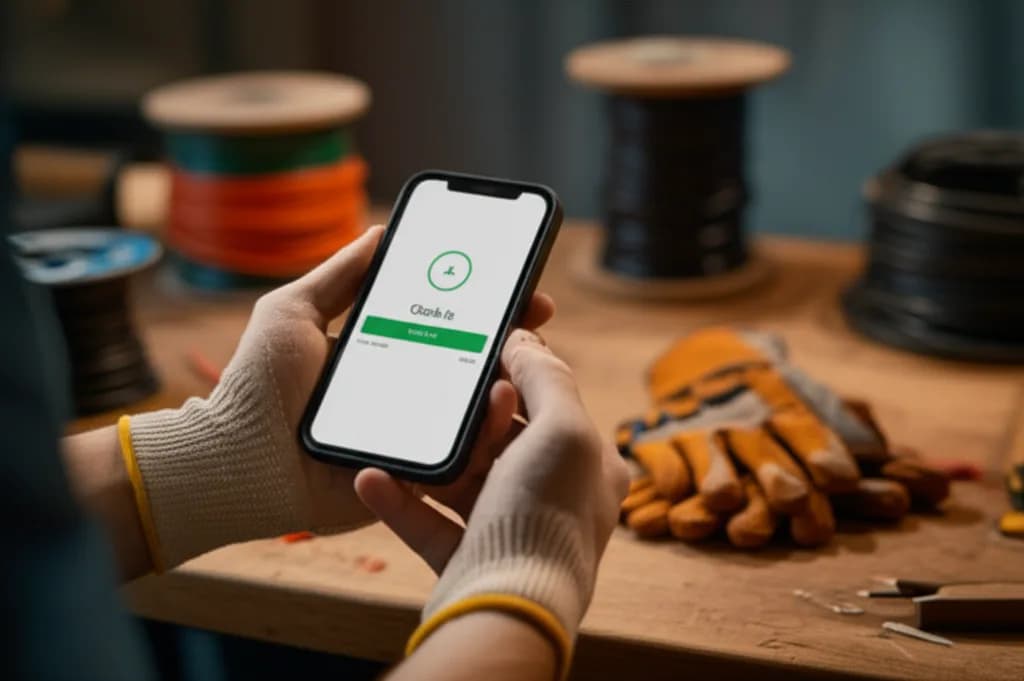
Tap Clock In
Select Job
Auto-Sync
Sound Familiar?
These problems cost electrical contractors $37,500+ every year
$37,500/Year in Missed Hours
Your crew forgets drive time, extra work, those quick fixes. At $75/hr, just 1 missed hour per worker per week = $37,500/year for a 10-person crew.
8-12% Margin Lost Per Bid
You only know if a job was profitable after it ends. Without real-time labor costs, you are underbidding jobs and losing margin on every estimate.
10+ Hours Every January
Tracking subcontractor payments for 1099s is a nightmare. Spreadsheets get messy, receipts get lost, and you spend hours chasing paperwork.
What contractors are saying online
“...the paper sheets are a mess and he's definitely losing money on unbilled time.”
— via Reddit r/Contractor
“construction guys hate admin tasks even though it's the only thing they need to do so they can get paid properly.”
— via Reddit r/smallbusiness
“I need to get a head start on payroll as most of the time their time sheets are incorrect and there are a lot of questions.”
— via Reddit r/smallbusiness
“the issue is if I don't mark it down (sometimes happens when I have 5+ clients in a day) I won't get paid because I forget.”
— via Reddit r/smallbusiness
Everything You Need to Capture Every Hour
Built specifically for electrical contractors who need simple, reliable time tracking

Built for the Job Site, Not the Office
Your crew is out in the field—in basements, on ladders, in places with spotty cell service. FieldTimesheet works everywhere they do.
- Works offline in basements and rural areas
- One-tap clock in from any phone
- Auto-syncs when connection returns
One Tap. No Training.
Your crew clocks in from their phone in 5 seconds. No app download. No training. If they can text, they can use FieldTimesheet.
Learn more about mobile trackingWorks in Basements
No signal in that basement? Entries save offline and sync when they surface. Never lose a clock-in again.
Learn more about offline modeSee Where Hours Go
Every hour tied to a job and customer. Finally know which jobs eat your labor and which ones make you money.
Learn more about job costingQuickBooks in 60 Seconds
One click and entries flow to QuickBooks Online. No double-entry. No spreadsheets. No mistakes.
Learn more about QuickBooks syncBid Smarter Next Time
See labor vs budget in real-time. Know if you are over budget before the job ends. Bid smarter on the next one.
Learn more about job costingTrack Every Sub's Hours
Every hour tied to the contractor who worked it. When January comes, the numbers are already done.
Founding Member Pricing
Half the cost of QuickBooks Time with more features
Base price for up to 10 workers
+ $8/month per additional worker
No credit card required • Cancel anytime
Founding member pricing for the first 50 companies.
Lock in this rate for life. After public launch, standard pricing increases to $149/month. Your price never goes up.
Example: A crew of 15 workers = $99 + (5 × $8) = $139/month
Not sure it's worth it? See how much you're losing to unbilled hours.
Try It Risk-Free for 14 Days
No credit card required. No contracts. No obligation. If FieldTimesheet does not capture more billable hours in 2 weeks, it costs you nothing.
Still evaluating? Download our free timesheet template and start tracking today — no account needed.
Common Questions
Everything you need to know before getting started
Do my workers need to download an app?
No. FieldTimesheet works in any web browser (Chrome, Safari, etc.). They just tap a link and clock in. Bookmark it to their home screen if they want the app-like experience.
What if they are in a basement with no signal?
Entries save offline and sync when they get back to WiFi or cell signal. We built this specifically for construction sites where connectivity is spotty.
Does this replace QuickBooks?
No. FieldTimesheet connects to QuickBooks Online and syncs time entries automatically. You still use QuickBooks for invoicing, expenses, payroll, and reports. We handle time tracking so you do not have to type it in twice.
What if I'm not technical?
If you can use QuickBooks, you can use FieldTimesheet. Setup takes about 5 minutes. Plus, you can call us anytime for help.
Can I cancel anytime?
Yes. No contracts. No long-term commitments. Cancel anytime with one click. Download your time entries, jobs, and contractor data as CSV anytime from Settings.
Is my data secure?
Absolutely. We use 256-bit SSL encryption (same as banks) and your data is backed up daily. We never sell or share your information.
What happens after the 14-day trial?
You'll get a reminder before it ends. If you love it, enter payment details to continue. If not, no charge—your data stays for 30 days in case you change your mind.
Can I import existing jobs from QuickBooks?
Yes. During setup, FieldTimesheet pulls your Customers and Projects from QuickBooks so you don't have to re-enter them.
What kind of support do you offer?
Call (682) 587-9876 or email support@fieldtimesheet.com. You get the founder, not a chatbot.
My crew isn't tech-savvy. Will they actually use this?
If they can open a text message, they can clock in with FieldTimesheet. There's no app to download — just tap a link on their phone. One tap to clock in, one tap to clock out. We've seen crews pick it up on day one with zero training.
Does this track my crew's location all day?
No. FieldTimesheet captures GPS only at the moment of clock-in and clock-out — like a digital timestamp on a punch card. No continuous tracking during the day, no breadcrumb trail. It's there to verify job site arrivals, not to monitor your crew's every move.
Paper timesheets work fine for us. Why switch?
Paper feels free until a lost sheet or fudged hour costs you $500. About 40% of contractors still use paper, but they quietly lose money to missing hours, rounding errors, and the hours spent chasing late cards every pay period. FieldTimesheet pays for itself by capturing those leaks.
Isn't time tracking software expensive for a small team?
Most time tracking apps charge high base fees plus per-user pricing for features you'll never touch. FieldTimesheet is $99/month for up to 10 workers — no forced upgrades, no feature bloat. If a 10-person crew saves even one missed hour per week at $75/hr, the app pays for itself more than 3x over.